
How to Migrate from an On-Prem PBX to Cloud Telephony (Without Downtime)
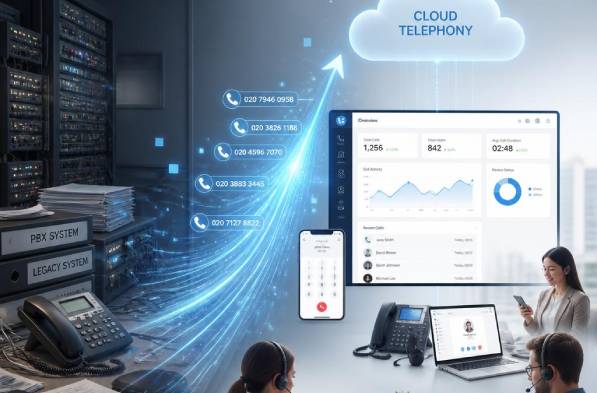
For many businesses, moving from a traditional on-premise phone system to cloud telephony sounds exciting… until they imagine missed calls, broken workflows, or days of disruption.
The good news? A successful migration does not need to mean downtime.
With proper planning, businesses can transition smoothly while keeping operations running and customers supported.
Why Companies Are Moving Away from Traditional PBX
Traditional PBX systems served businesses well for years, but expectations have changed.
Modern teams need:
- Remote and hybrid work flexibility
- Easier scalability
- Lower maintenance requirements
- Better reporting and analytics
- Faster deployment of new locations
- Integrations with CRM and business tools
Cloud telephony allows organizations to manage communications without relying on aging hardware and complex onsite maintenance.
Step 1 – Audit Your Current Environment
Before migrating, document your existing setup.
Review:
- Phone numbers (DIDs)
- Current carrier relationships
- Extensions and call flows
- Auto attendants and IVRs
- Hunt groups
- Business hours routing
- SIP trunks
- Fax requirements
- Emergency services configuration
- CRM and software integrations
This step prevents surprises later.
Step 2 – Define What Success Looks Like
Migration is more than reproducing the old setup.
Ask:
- What problems are we solving?
- What should improve?
- Which manual processes can be automated?
- Do users need softphones, desk phones, or both?
Examples of measurable outcomes:
- Reduce telecom administration time by 50%
- Enable remote work for all employees
- Improve customer response times
- Centralize communications management
Step 3 – Build the Cloud Environment Before Cutover
One of the biggest mistakes companies make is waiting until migration day to configure everything.
Instead:
- Create users in advance
- Configure call routing
- Set up IVRs and voicemail
- Test devices
- Configure failover rules
- Validate network readiness
Your future environment should be production-ready before any number ports begin.
Step 4 – Port Numbers Strategically
Phone numbers are often the most sensitive part of migration.
Best practices:
- Port in phases when possible
- Schedule during lower traffic periods
- Confirm account information beforehand
- Maintain temporary forwarding options
- Communicate timelines internally
A well-planned port should feel nearly invisible to end users.
Step 5 – Run Parallel Testing
Before final cutover:
- Place inbound and outbound calls
- Test transfers
- Validate voicemail
- Confirm emergency calling
- Test remote users
- Verify CRM integrations
- Confirm failover behavior
Testing before go-live dramatically reduces post-migration incidents.
Step 6 – Train Users Before Launch Day
Even the best technical deployment can fail if users are unprepared.
Provide:
- Quick start guides
- Short training sessions
- FAQ documentation
- Support contacts
Keep adoption simple.
Step 7 – Monitor and Optimize
Migration is not the finish line.
During the first weeks:
- Monitor call quality
- Review support requests
- Adjust routing
- Optimize user experience
- Track adoption metrics
Cloud telephony should continue improving after deployment.
Final Thoughts
Migrating to cloud telephony does not have to involve downtime, confusion, or major operational risk.
With planning, testing, and a phased approach, businesses can modernize communications while keeping teams productive and customers connected.
Thinking about migrating your business phone system? Start with an environment audit and build your migration plan before making any changes.
Contact us today to learn how we can help you achieve your migration!
📞 Call us: (833) 382-3279
✉️ Email: info@uceasy.ca
Share This Story, Choose Your Platform!

Let’s Make Things Happen
Join the UCeasy revolution today. Simplify your services. Grow your business. Make Unified Communications easy!
As a UCeasy reseller, you’ll enjoy a streamlined onboarding experience that quickly prepares you to sell our solutions. This comprehensive process covers essential areas like quoting, billing, technical support, branding, and effective sales techniques.